Be your own package maintainer

Know what you run.

Choose your software in Recipe. Read what it will do, review what it may use, and make system changes in a second root beside the system you are running.

On the desktop

A familiar place to make it yours.

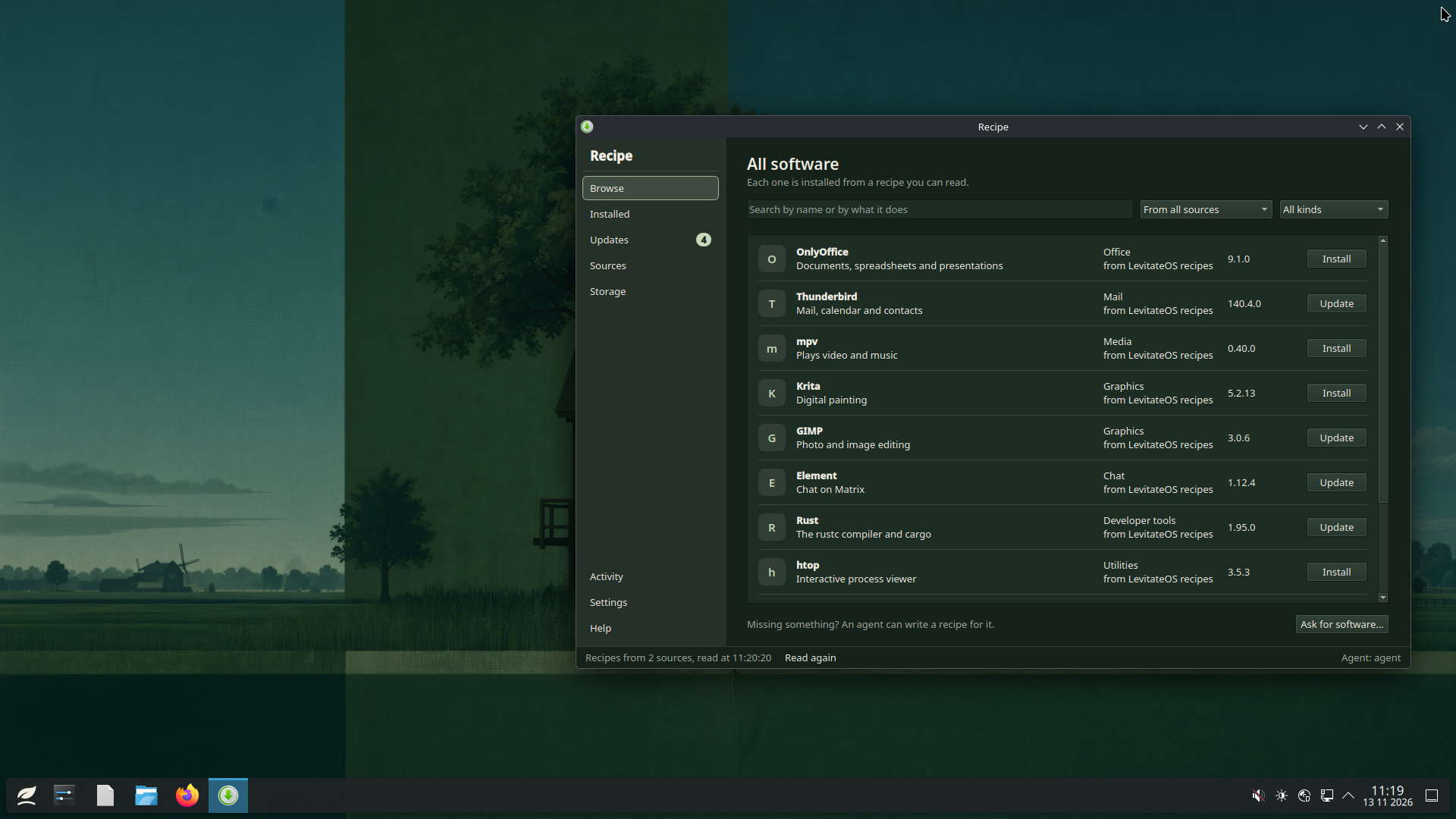
KDE Plasma gives you the desktop. Recipe gives you a clear view of the software you put on it. The leaf in the panel opens your applications.

Screenshot: Recipe on the desktop.
Recipe on the desktop. LevitateOS on Plasma, with its own wallpaper and the leaf start button at the bottom left. View full size

Development previews throughout this page; application content uses sample data.

Software

Software comes through Recipe.

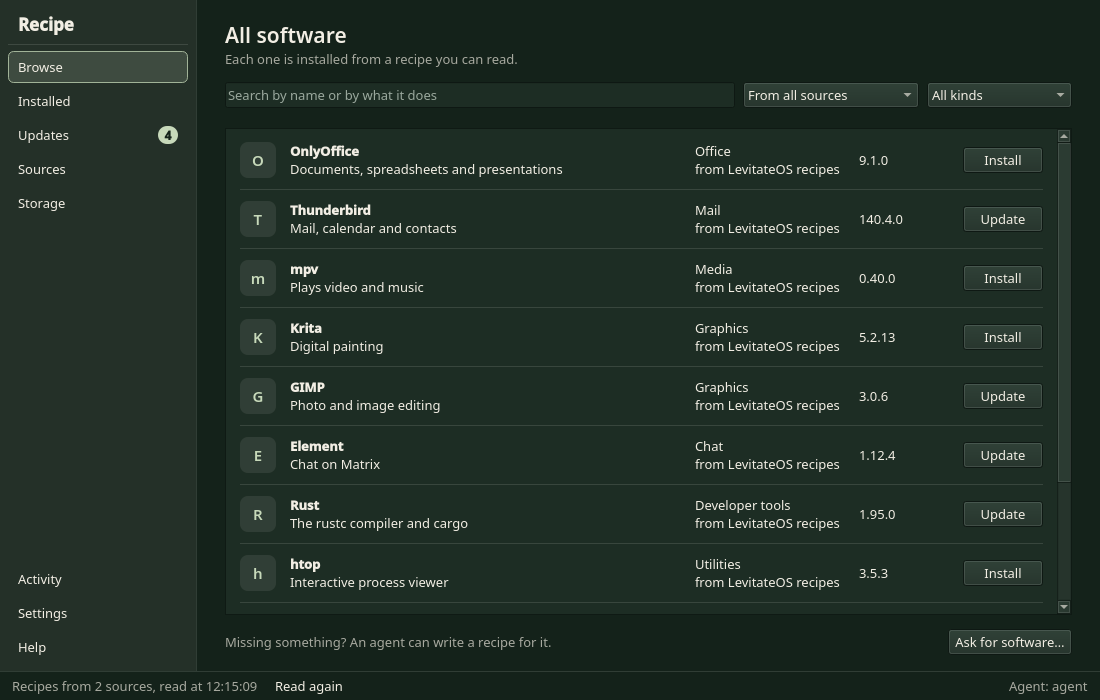
Search by name, read the recipe behind each program, and see what it may use before you install. Recipe has its own page.

Screenshot: Find software in Recipe.
Find software in Recipe. Browse the collection, search for an app, and choose what to inspect. View full size

When the system changes

Keep using this system. Change the other one.

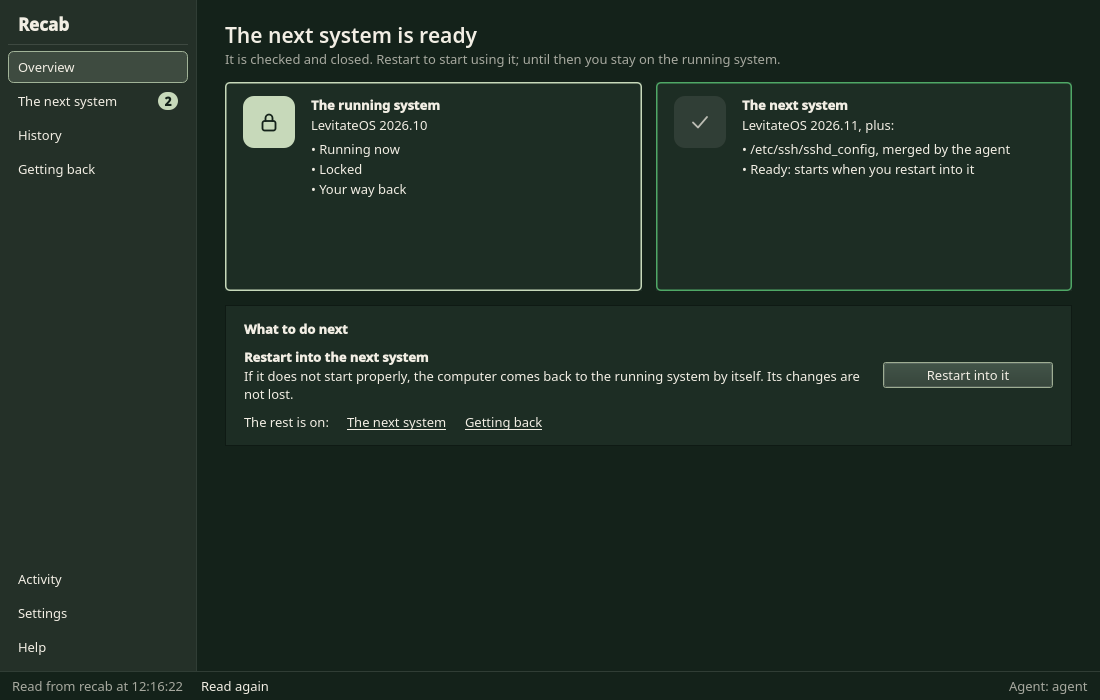
Recab keeps two roots, A and B. The one you are using is locked. The other is open for change. You can see which is which at any time.

Software changes for the whole computer go into the other root. The running system stays as it is. To start over, make the other root a copy of the booted root.

  • The booted root is locked. The other root is unlocked.
  • Changes are written into the other root.
  • Boot the other root and the roles swap.
  • If it does not finish starting, the machine starts the previous root again.
  • Signed releases (1.0, 1.1, ...) are designed to update the other root the same way, and a daily check only shows a notice. This is written, not built or run yet.
Screenshot: The other root is ready.
The other root is ready. Recab shows the booted root beside the other root, and starts the other root at the next boot. View full size
See the A/B commands
A system change tools/recab/README.md
# as administrator, with sudo
recab status


recipe --system install ripgrep


recab boot-other
reboot


recab status
  1. 01 Line 2: A is booted and locked. B is the other root, unlocked.
  2. 02 Line 5: Written into B. The booted root is never touched.
  3. 03 Line 9: B starts once, at the next boot.
  4. 04 Line 13: B is booted and locked. A is now the unlocked one.

Once you have made it yours

See where the space goes.

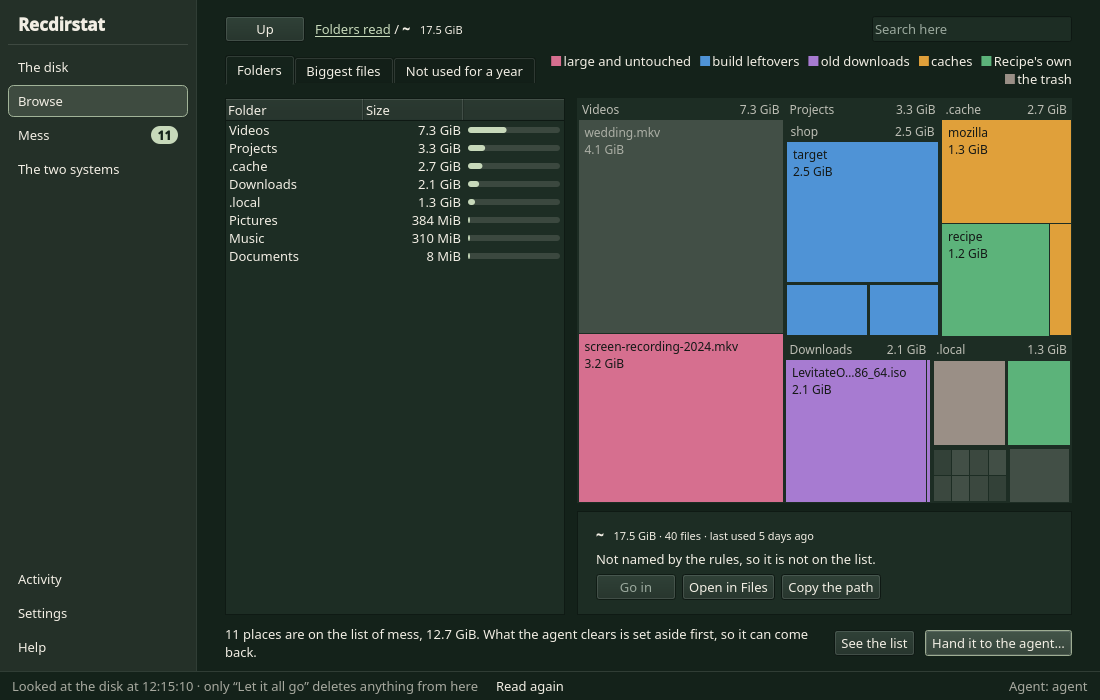
Your files and the software you installed take room. After an install Recipe keeps only the installed program, not the download or the build. Recdirstat puts the sizes of everything on a map, so you can see the large places and inspect what is inside before deciding what to keep.

Screenshot: See where disk space goes.
See where disk space goes. The folder list and treemap show which places take the most room. View full size

Installation

Start with the guide beside you.

To reach that desktop, boot the live ISO and install one step at a time. A shell sits beside the full installation guide; Ctrl-] switches between them.

Read the same guide here before you boot. It takes you from the disk layout to your first login, with each command explained.

Installing docs/content/src/install.ts
recpart apply --disk /dev/nvme0n1 --confirm DESTROY


recstrap /mnt
recfstab --write /mnt


recsetup inspect --root /mnt --json
recsetup apply --root /mnt \
    --timezone Europe/Brussels \
    --locale en_US.UTF-8


recchroot /mnt -- passwd
  1. 01 Line 1: Nothing is wiped until you type the word yourself.
  2. 02 Line 5: The whole system, laid down from the live ISO.
  3. 03 Line 9: See what it will configure before it does.
  4. 04 Line 15: Inside your new system, before its first boot.

Two variants, one pipeline

The same tools. Two userlands.

LevitateOS and AcornOS are independent operating systems. Their userlands are built from Fedora 45 RPM packages and Alpine 3.24 APK packages. Both use the same Recipe, alongside Recab and Recdirstat. Choose the userland and desktop that suit you; both install as A/B systems by default.

LevitateOS LevitateOS

The broad-compatibility choice: glibc and systemd, userland built from signed Fedora RPM packages.

Stack
glibc · systemd · GNU
Built from
Fedora 45 RPM packages, signed and locked
Administrator
sudo
Desktop
KDE Plasma on Wayland
Kernel
7.3.4 (latest stable)
Roots
A/B by default: the running root is locked, changes go in the other root, and a failed boot returns to the last working root

Available · 1.0 preview

LevitateOS status

AcornOS AcornOS

The musl and OpenRC sibling in the LevitateOS family.

Stack
musl · OpenRC · busybox
Built from
Alpine Linux 3.24 APK packages
Administrator
doas
Desktop
LXQt on X11 (XLibre)
Kernel
6.18.63 (long-term support)
Roots
A/B by default: the running root is locked, changes go in the other root, and a failed boot returns to the last working root

Available · 1.0 preview

AcornOS status Switch to AcornOS

Acknowledgments

Standing on the shoulders of giants.

  • Arch Linux

    For the blueprint of a user-controlled distribution and a manual installation.

  • Fedora

    For the signed, maintained RPM packages the LevitateOS userland is built from.

  • Alpine Linux

    For the signed APK packages, musl and busybox the AcornOS userland is built from.

  • Nix

    For pioneering declarative dependency management and reproducible builds.

  • Gentoo

    For USE flags and the philosophy of compile-time customization.

  • Universal Blue

    For demonstrating image-based updates on the desktop.

  • Ginux

    Greg Kurtzer's userspace kernel, which Recipe uses to isolate the programs a recipe starts.

  • Claude Code

    For AI-assisted development that accelerated this project.

  • Rust

    For the language the rec* tools and recipe are written in.

LevitateOS 1.0 and AcornOS 1.0 preview.

The first releases are UEFI ISOs for x86_64, tested in virtual machines only. The download page has the checksums, the requirements and the known limits.